
Welcome to the UCLA Campus Security Camera Program
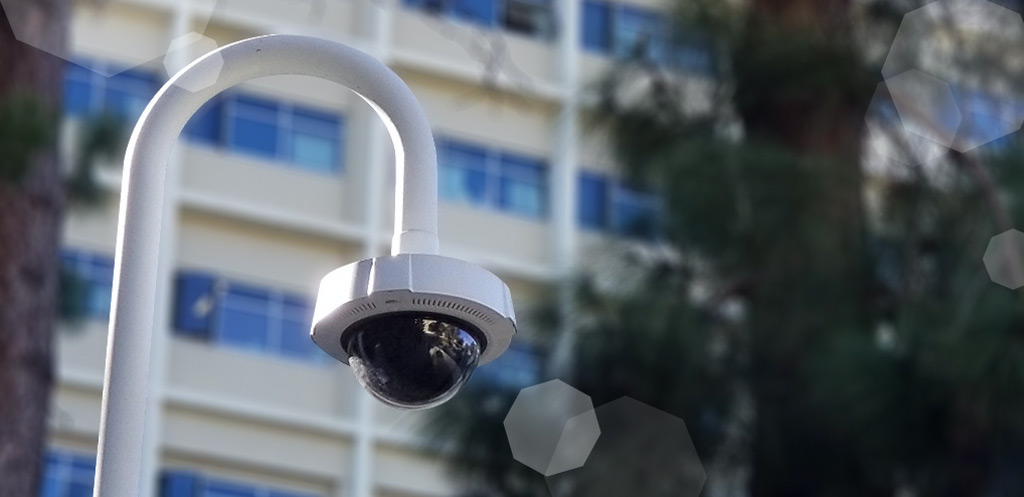
We are here to protect the quality of life of the campus community by integrating safety and security best practices to deter crime, aid in the apprehension of suspects, and enhance the overall safety and security of property and individuals of the campus community. Please read our policies below and learn more about how to request a video below.
Please check back for ongoing updates and more information on this program.
Our Policies
Learn more about UCLA Policy 133 that governs Security Camera Systems at UCLA. The policy was issued on August 10, 2019 as an Interim Policy.
Request Forms and Procedures
Use the forms below to request a new or updated security camera system (SCS) or to authorize an SCS operator. Review the procedures for each form before you submit it.
The Designated Campus Authority (DCA) is the individual or group designated by the Administrative Vice Chancellor to review and approve security camera systems under UCLA Policy 133.
Request to Add or Update Security Camera System
Submit a camera system request
SCS Use Requests
Exceptions. Exceptions to completing an online request or any required information may be made in the event of an imminent threat to the safety and security of the campus community, but then only as outlined in UCLA Policy 133. In such circumstances, all reasonable efforts will be made to obtain oral or written approval from the DCA, prior to deployment of SCS. If oral approval was obtained, written approval must be obtained as soon as possible thereafter, but no later than two business days after deployment. If subsequent approval is not obtained within the time specified above, SCS must be decommissioned.
Request to Authorize Security Camera System Operator
Requests to Authorize SCS Operators
Exceptions. See section IV.A.2. of UCLA Policy 133.
Criteria for SCS Operators. SCS Operators will be limited to individuals who meet and will continue to meet the following:
- have a justifiable need for access consistent with the purposes of this Policy;
- pass a background check as defined by the DCA, which may have stricter requirements than UCLA Human Resources Procedure 21 – Appointment;
- are appropriately trained and supervised in the technical, responsible, effective, legal, and ethical use of SCS;
- provide written acknowledgement that they have read, understand, and will comply with this Policy;
- perform their duties, including access to live or recorded Images, strictly as authorized by the DCA and in accordance with this Policy.
Operator Use Requirements
Once the DCA has approved the SCS Operator, the Operator must comply with the following Operator use requirements:
Access
An authorized Operator may access the SCS in accordance with the type of access approved by the DCA and this access may include the monitoring and/or review of live feed or recorded Images, solely for the following purposes:
- maintenance of SCS equipment or systems;
- investigation of suspected illegal criminal activity;
- investigation of suspected activities in violation of University policy;
- compliance with legal obligations to preserve, release, or otherwise use live feed or recorded Images; and
- general safety and security monitoring consistent with the intent of UCLA Policy 133.
SCS Operators with authorization to review live or recorded Images must be provided appropriate work areas in which said review can be conducted privately to prevent unauthorized individuals from inadvertent, advertent, unintentional, or intentional access. SCS will provide for individual authenticated user access and logging of user activity consistent with UCLA information systems security standards.
Prohibited Use
In addition to the prohibited use of the SCS as stated in section IV.C.6 of UCLA Policy 133, Operators are also expressly prohibited from:
- duplicating recorded Images for any purpose not permitted by Policy;
- permitting or providing access to live or recorded Images to anyone not specifically authorized by the DCA;
- operating or using SCS outside the scope of the usage approved by the DCA; and
- viewing, recording, accessing or otherwise using SCS in any manner that is inconsistent with this Policy or any other safeguards deemed appropriate by the DCA.
Contact Us
For more information, please email bruinsecurity@ucla.edu or call 310-206-SAFE.
Frequently Asked Questions
This FAQ outlines campus camera policies.
Are all campus “video cameras” affected by UCLA Policy 133?
UCLA Policy 133 does not apply to cameras used for the following purposes:
- delivery of education/training
- research activities, such as the monitoring of experiments or animal behavior
- medical procedures
- artistic or creative performances
- athletic events
- business/promotional production
- commercial television or movie production (see UCLA Policy 863)
- personal mobile recording devices
- video conferencing
- automated license plate readers (see UCLA Policy 134)
- drone or other aircraft cameras (see UC Drone Policy)
- mobile recording device used during the course of law enforcement, parking enforcement, or transportation operations
- law enforcement activity covered by other applicable federal or State laws, or University policies
Please email bruinsecurity@ucla.edu if you have any questions.
My department has existing security cameras. What do I need to do?
According to UCLA Policy 133:
Existing security camera systems (SCS) must comply with UCLA Policy 133 no later than December 31, 2020, unless a written waiver has been issued by the DCA. In January 2021, unapproved or nonconforming SCS must be removed unless a written waiver has been issued by the DCA, permitting the continued use of the noncompliant SCS until a specific date at which time the SCS will become compliant or be removed.
How do I request new security cameras for my UCLA department?
To request to add a new security camera system, please complete the Request to Add or Update Security Camera System Form. Review the request procedures before you submit.
How do I request new security camera operators for my UCLA department?
To request new security camera system operators, please complete the Request a New Security Camera System Operator Form. Review the request procedures before you submit.
How do I request security camera operator training?
This information is not yet available. Please check back soon.
How do I request a copy of security video?
If you were a victim of a crime, please contact the UCLA Police Department at 310-825-1491 to file a police report. Any request for security camera video under the Public Records Act may be submitted to the UCLA Information Practices Office via email at records@ucla.edu. Any request for security camera video via legal process can be sent to the UCLA Police Department Administrative Lieutenant.